Making smartphones a tool, instead of a distraction
Date Posted: 25-06-2026
Awhile back I found I was spending more time than I'd like using my phone. Nowadays companies have found increasingly clever ways to keep us inside their platforms, encouraging us to come back day after day and making it easier and quicker than ever with to be connected online with what is essentially a fully fledged computer on our person 24/7
To push back against this I've tried quite a number of different strategies to cut down on usage and return the smartphone back to its roots as a humble tool, designed to help us rather than distract and busy us from what we really want to focus on. Here is a collection of tips and techniques I have tried, hopefully some can be of use to you!
Chapter 1: Making the phone boring
Greyscale Filter
One of the easiest and most effective changes I've made is having the greyscale filter enabled whenever I can. By taking away the screens colours I find its ability to draw you in and use it is significantly decreased.
If you'd like to try it out, you should head over to your devices settings and poke around the accessibility section, it's usually called something along the lines of Colour Filters or Colour Adjustment. You should also be able to set up a accessibility shortcut to allow a certain gesture or button combination to toggle to the greyscale effect for situations where you need to see colours
Something I would recommend is using some kind of automation rule software to manage greyscale settings. I have three setup at the moment through Bixby Routines (the stock Samsung automation software):
- At 4am every day, Switch on greyscale
- When phone starts charging, Switch on greyscale
- When I open the Camera or Gallery app, switch off greyscale, then switch it back on when I leave
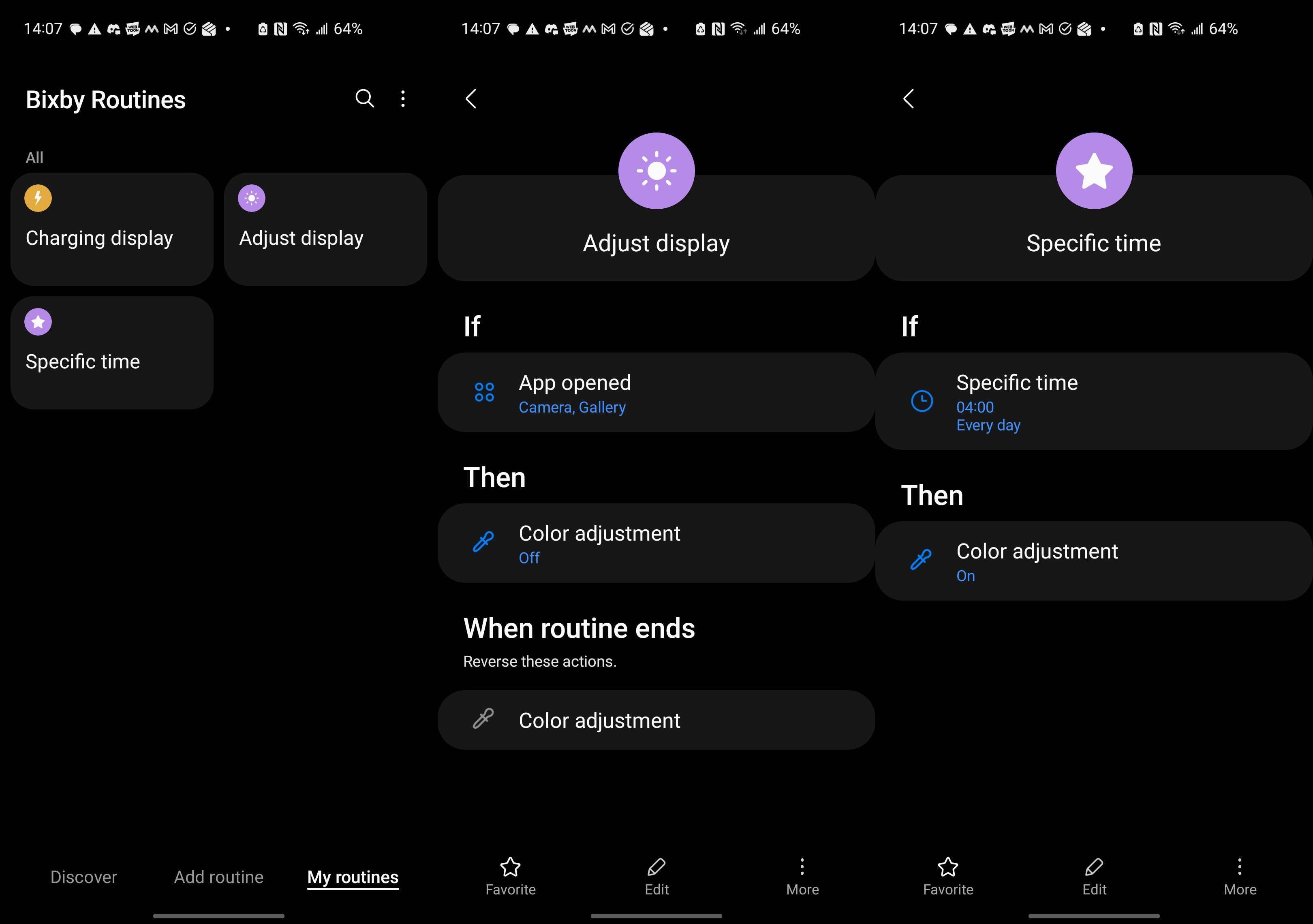
I find this really helps make sure I don't forget to switch greyscale back on after disabling it for some reason. If you're on iPhone the shortcuts app can replicate this behaviour but if you are on a different android platform you might have more trouble. First check if your vendor provides any kind of inbuilt automation tool since that will likely have the highest access privileges. Otherwise there are options such as Tasker, Macrodroid or a program built specifically for this task: Grayscaler however the catch is that you will need to jump through some more advanced steps with a computer and the Android Developer Bridge (adb) to give apps the ability to change settings considered "Secure" which includes toggling grayscale.
Simplified Launcher
While its very nice having a perfectly laid out home screen of apps, I found the grid of app icons and notification bubbles calling out for attention can also be unhelpful. Unfortunately I don't think there's anything you can do about this if you're on iPhone (except for greyscale which will probably help to a degree) but if you have an android phone you can switch to a different, much simpler, home screen - or "Launcher" as it is called by the system.
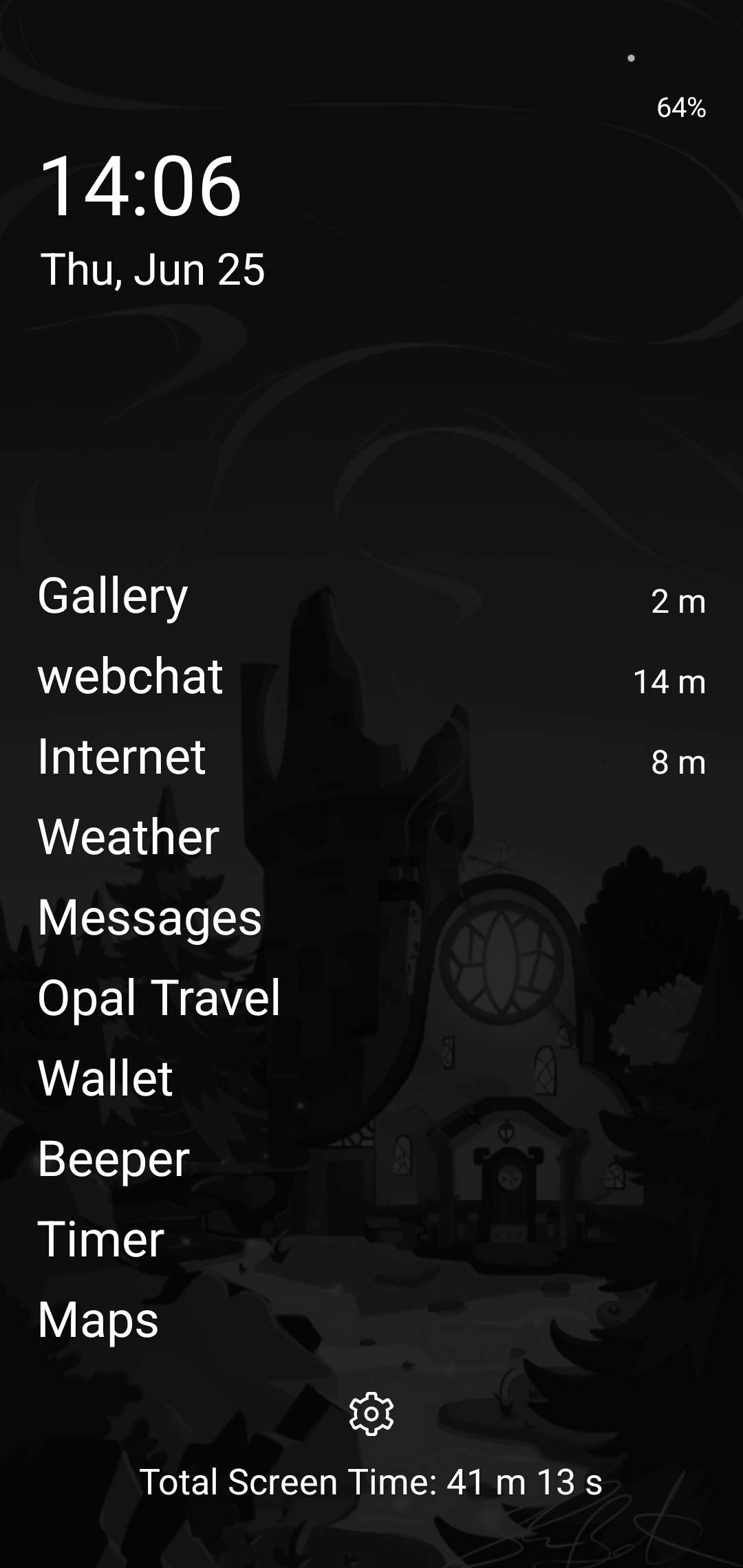
There's a bunch to choose from on the play store so feel free to have a look around but the one I use is Multi Launcher. It is completely free, has no ads and is completely open source. Once you set it up, your normal home screen will be replaced with a simple clock and (text-only) list of key apps that you set. You can swipe up and search for any installed application but that search is also text only which makes it much harder to absent-mindedly scroll through your apps list and find something to do - now you have to consciously search for the apps you need.
App removals and replacements
It should come as no surprise that removing particularly distracting apps from your phone will help you use them less frequently. Some of the big offenders:
- Short form video platforms (Tiktok, Instagram, Youtube)
- Social media platforms (Twitter, Instagram (again), Bluesky, Tumblr, Facebook, Linkedin)
- Reddit - not sure if I consider this one as social media, still I found it quite distracting
Something in common between all of these is apps is their infinite scroll, there's a never-ending stream of content to keep reading and watching, because of this I found it very easy to lose track of time with these and that deleting them was often the best solution.
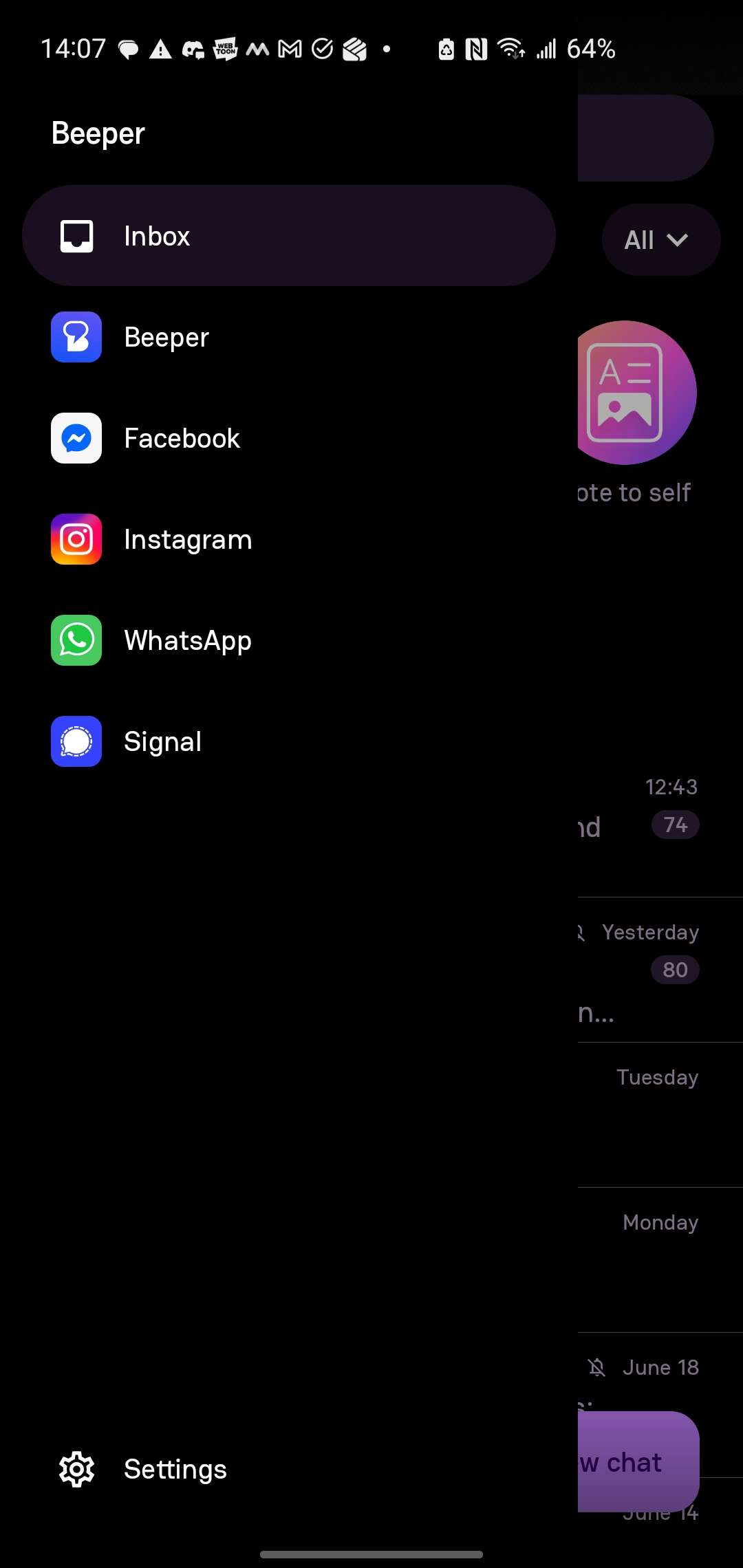
However one issue I had when getting rid of these sorts of apps is that a lot of people in my social circles exclusively used Instagram messages for communication, meaning for a long time I had to keep Instagram installed to read messages and inadvertently get pulled into the feed when I let my guard down. The solution I ended up finding for this was an app called Beeper, its premise is that you can connect apps such as Instagram and Twitter (among others) and get their chats all in one place - but most importantly - without their respective feeds! Once you have it set up you can safely remove those apps and enjoy just having messages from them through beeper. It is proprietary software but it has a reasonable free tier which should let you do everything you'll need to get away from the Twitter, Instagram and Facebook feeds so I highly recommend checking it out.
Chapter 2: Using phones consciously
Something I found key was being very aware of how and why we use devices. Our phones are very useful devices with tools like maps and the entirety of human knowledge in our hands, these are often great things. However if we are using devices to consume content the moment we feel slight boredom then we may have an issue where the device starts benefitting from us rather than the other way around.
Notification settings
Have a think about the notifications you receive and if they are giving you useful information or wasting your time and focus. That said, it can be very time consuming in itself to go through notifications settings manually, I recommend dealing with notifications as they come in - on most platforms you can long press a notification to manage its setting directly. This way you'll clear up your notification situation over time without having to dig through every app you have installed.
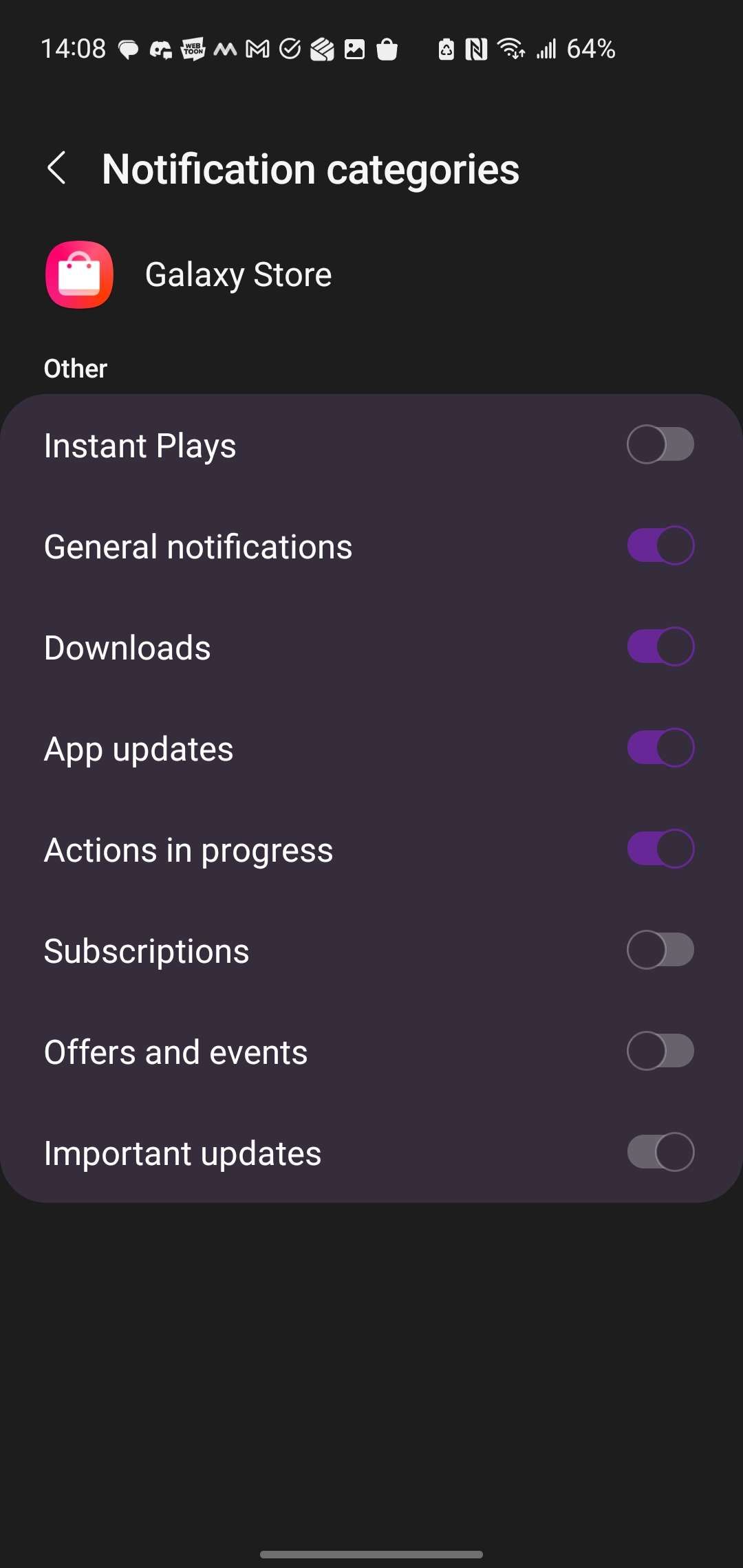
If you're on Android, you get even more dials to play around since most apps have configurable notification categories, this means you can receive some but not all of the notifications from that particular app.
Keeping phone in bag/out of reach
If you find you're instinctively checking your phone, consider making it a more conscious choice to use by making it harder to access. If you carry a backpack or similar bag this can be done fairly easily by putting your phone in your backpack rather than your pocket. That way if you want to use your phone you'll need to take off your bag and rummage through until you find the device - not something you're going to bother doing unless there's something important you want to do like check your map for example.
The caveat of this strategy is you may miss notifications or calls which I don't consider a particularly bad thing but there are some cases where you need to be listening out for urgent calls or emergencies. In that sort of case you may want to consider something like a smart watch which I will go into more detail in the next chapter.
(generally) you don't need to respond immediately
When you see a message or notification come through it can be worth considering if it requires immediate action or can wait until a better time when you can properly focus on it rather than whatever else you're doing or working on.
Usually when I am working on my projects I won't respond to messages until I finish working except if they happen to be urgent. This is very rarely the case so usually I will just get back to work and then catch up with the people who have messaged me later.
Avoid using your phone as your alarm
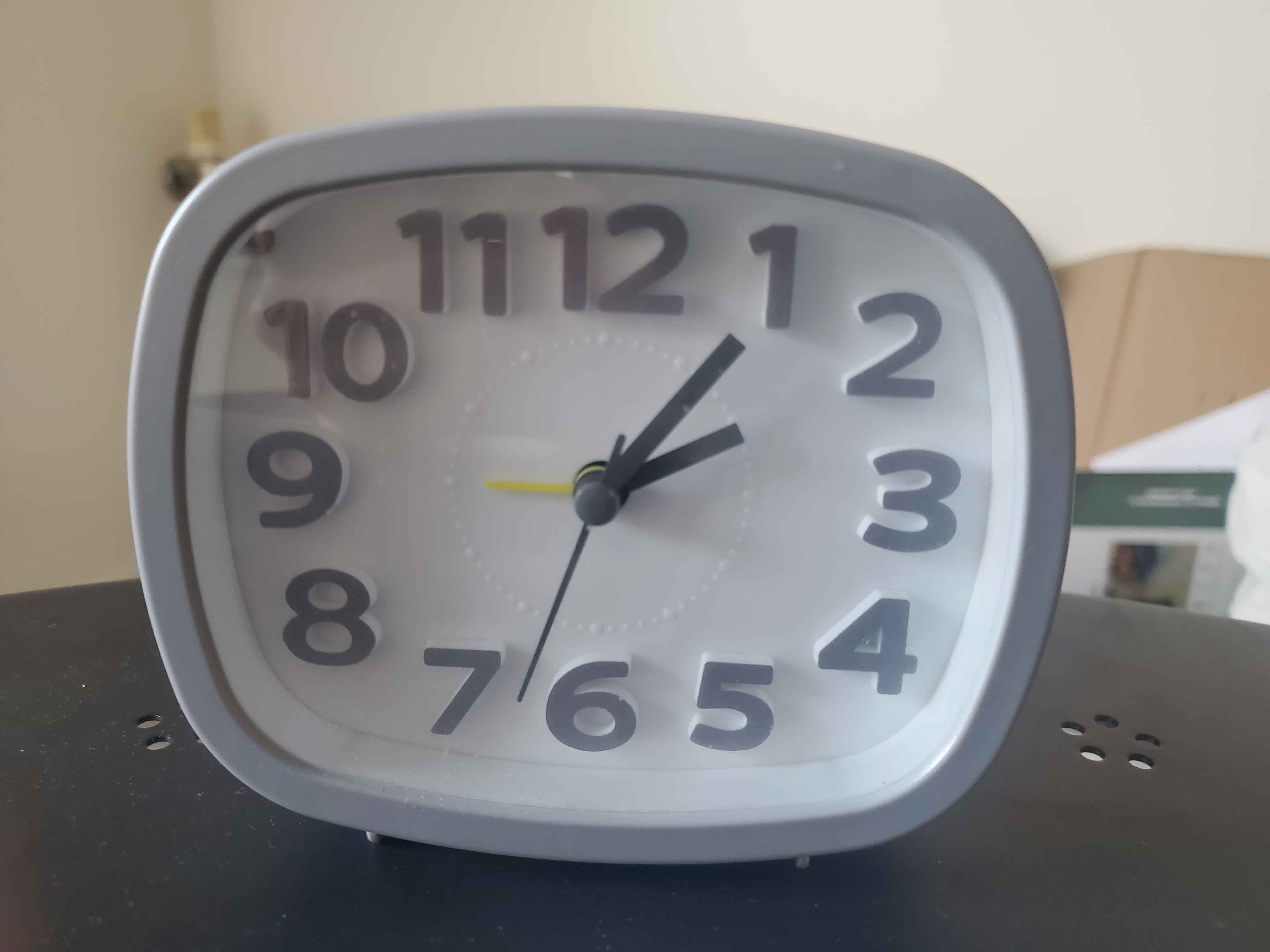
Another big distraction I found was the sequence of stopping an alarm on my phone leading me to look at and use said phone first thing in the morning. If you also find this is an issue, it might be worth trying out basic alarm clock, you should be able to get one of these fairly cheaply to see if it helps.
Chapter 3: My thoughts on extra devices
A trend I've noticed more recently is an interest in returning to what things were like before we hard smartphones, using a "dumb phone" and carrying around separate devices for different tasks. I think all of these devices have potential, however I also think it is worth being careful of the fact that companies would really like to find ways to capitalise on people wanting to move away from smartphones.
Specialist Devices
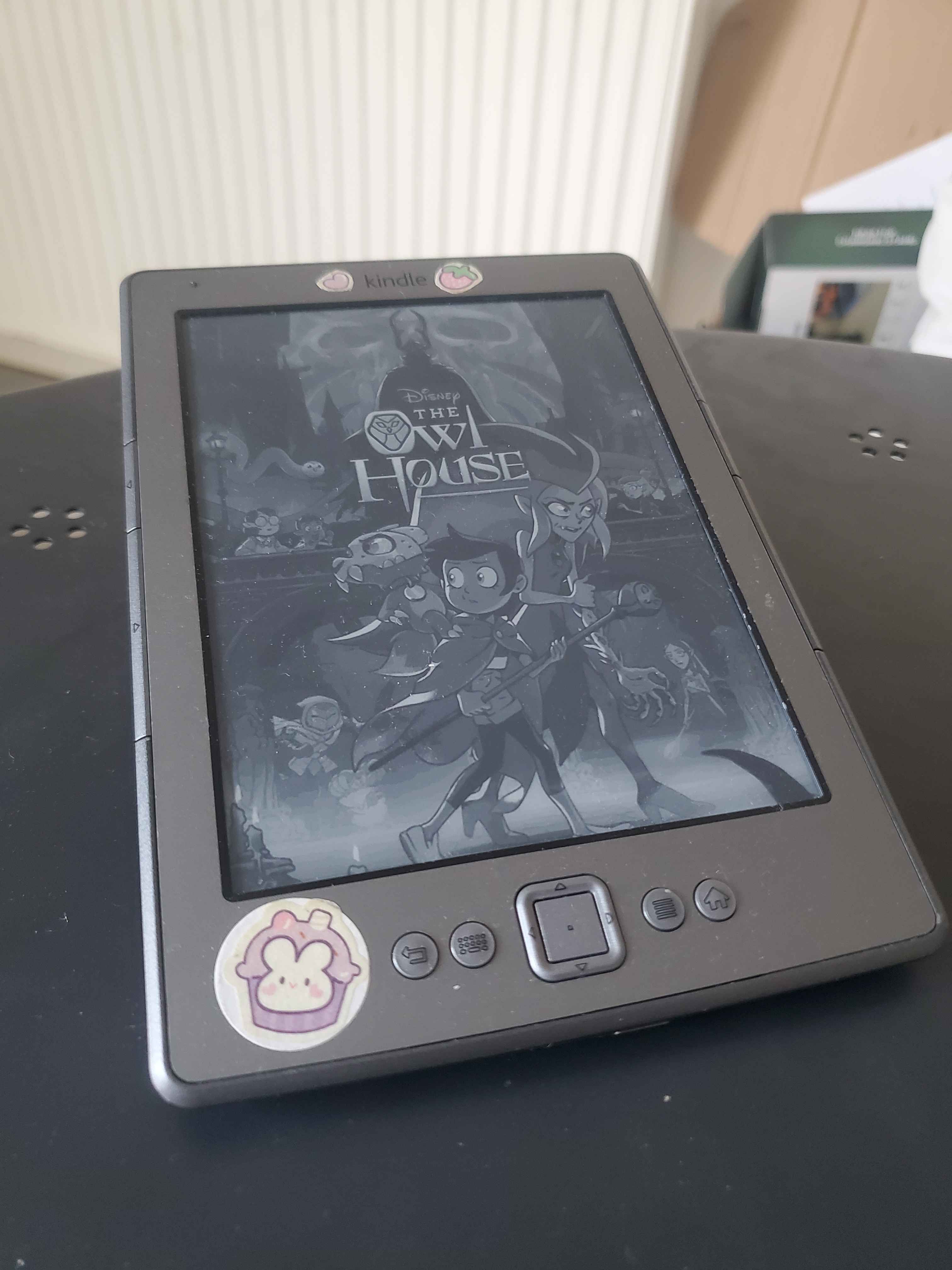
These are things like using a dedicated camera for photos and videos, An mp3 player for music and an e-reader for books. As I mentioned in the last chapter I use a dedicated alarm clock and I also use an e-reader which I find super useful - compared to reading on a phone or my computer there's no distractions from notifications, I can read fanfictions/ web novels and the eink display is much more comfortable to read on.
For the right person/situation I think these are very valuable, it just comes down to if the advantages of the specialisation is something you can use effectively - no point having an e-reader if you don't read in the first place!
Dumb phones?
Perhaps the heart of this trend are the phones which main feature is that they do less. While it sounds promising I'm not so sure about them in practice: The phones designed to restrict enough to prevent distractions such as the Light Phone have the side effect of blocking apps like 2FA code generators, banking apps and other critical service apps, this results in people having to carry around another actual smartphone too so they can complete those tasks - defeating the purpose of having the dumb phone in the first place. Meanwhile if its not as restrictive and you can just do anything and everything anyway (just slower) then I feel like it is unlikely to be much better than a full smartphone. At the very least I think it would be worth trying other strategies before switching to a dumb phone
Bonus: Smartwatches
This one is a bit mixed, I haven't had much success with smartwatches and actually found they acted as another source of distraction, but some of my friends have found them very useful when tweaked properly. Its especially important that your notifications are configured well if you want to go down this route but in theory, when setup well - a smartwatch means you can have your phone in your bag and get any urgent/emergency notifications and calls still come through to the watch.
Well, that's all the ideas I have at the moment, Hopefully some of these have been helpful~ If you have any feedback, comments or different tricks I haven't considered, feel free to email me at [email protected]! meow! 🐈